
Download Screenpresso – Free Screen Capture Tool for Windows, Mac & Mobile
Screenpresso is a powerful yet lightweight screen capture software designed for users who need fast, reliable, and feature-rich screenshot and screen recording tools. Whether you're creating tutorials, documenting bugs, or sharing content online, Screenpresso delivers seamless performance across Windows, Mac, and even Android devices. With its intuitive interface and smart editing features, it’s one of the best free screen capture tools available in 2024.
The software supports full-screen, window-specific, region-based, and even scrolling captures—perfect for capturing long web pages or lengthy documentation. Plus, its built-in editor lets you annotate, blur, or highlight key areas directly within the app. Screenpresso is available as both a portable version and a standard installer, making it easy to use on any device without installation hassles.
Best of all? It’s completely free to download and use, with an optional Pro upgrade for advanced users.
Why Screenpresso Stands Out Among Free Screen Capture Tools
When you first launch Screenpresso, you might assume it’s just another basic screen capture utility. However, once you dive deeper, you’ll discover why this tool has earned a loyal following among content creators, IT professionals, and educators alike. Unlike many competitors that overwhelm users with cluttered interfaces, Screenpresso keeps things simple—yet packed with powerful functionality. The software runs quietly in your system tray, ensuring it doesn’t interfere with your workflow while remaining instantly accessible with a single click or keyboard shortcut.
One of the standout features is the ability to capture scrolling web pages. This is especially useful when documenting lengthy articles, product pages, or online forms. Instead of manually stitching together multiple screenshots, Screenpresso automatically scrolls and stitches the entire page into one seamless image. This feature alone saves hours of manual work. Another highlight is the built-in image editor, which allows you to add text, arrows, shapes, blur sensitive content, and even apply reflective borders—ideal for professional-looking tutorials or training materials.
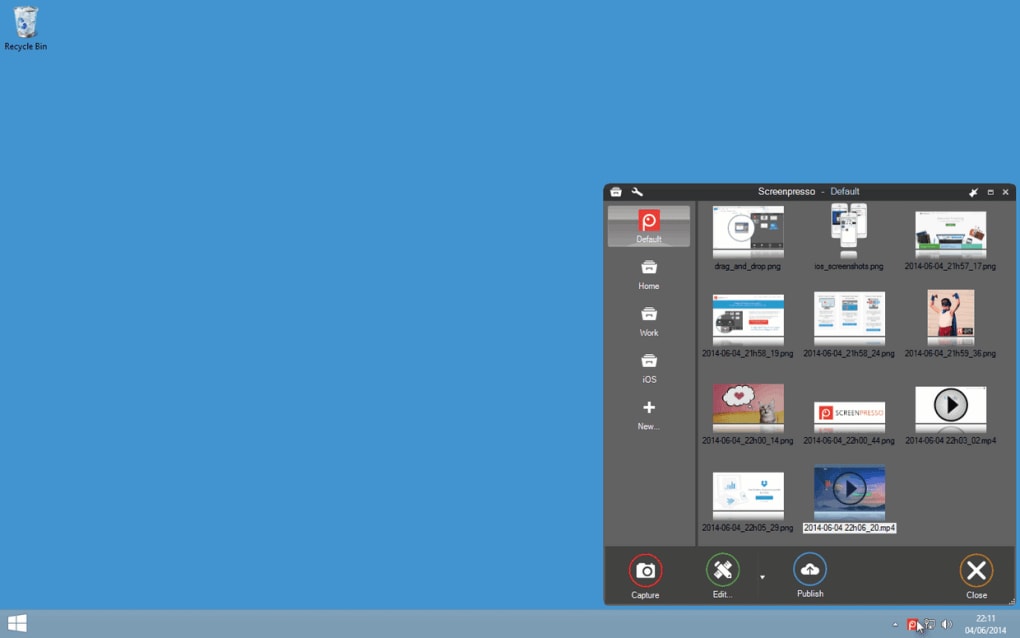
Additionally, Screenpresso maintains a comprehensive history of all your captures, making it easy to revisit, edit, or share previous screenshots. The history window also includes direct sharing options to platforms like Twitter, Dropbox, and email—streamlining collaboration. Whether you're troubleshooting a software issue, creating step-by-step guides, or preparing social media content, Screenpresso’s combination of speed, simplicity, and smart tools makes it a top-tier choice. And with regular updates and a secure download process, you can trust it to perform reliably every time.
Key Features and How to Use Them Effectively
Screenpresso isn’t just about capturing screens—it’s about capturing the right moments with precision and style. Here’s a breakdown of its most valuable features and how to use them for maximum impact:
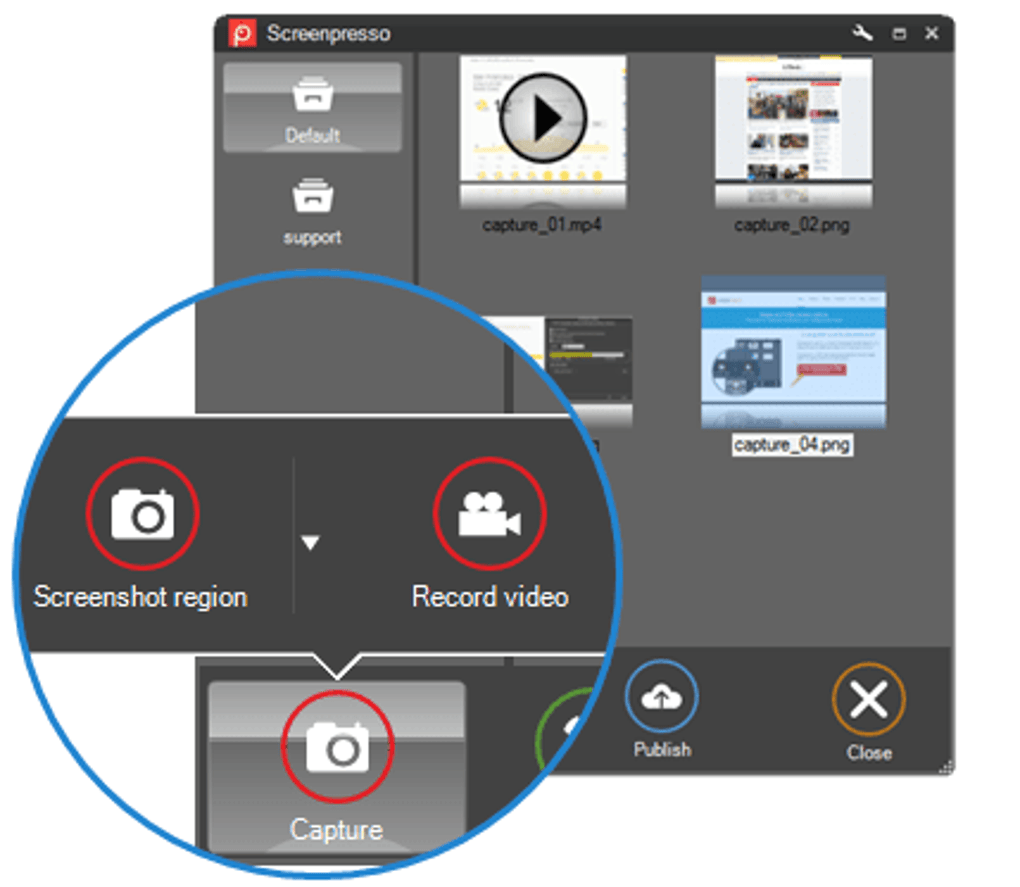
- Multiple Capture Modes: Choose from full-screen, active window, custom region, or scrolling capture. Perfect for different use cases—from quick snapshots to in-depth documentation.
- Portable & Installable Versions: Use Screenpresso without installing it on your system. Great for shared computers or when you want to keep your setup clean.
- Smart Image Editor: Annotate screenshots with text, arrows, shapes, blur zones, and shadows. Ideal for highlighting key information or redacting sensitive data.
- Auto-Save & History: All captures are saved automatically and stored in a searchable history. Reuse, edit, or share with one click.
- Direct Sharing: Share screenshots instantly via email, Twitter, or cloud services like Dropbox and OneDrive.
- Keyboard Shortcuts: Access capture functions quickly using predefined shortcuts (though customization is limited).
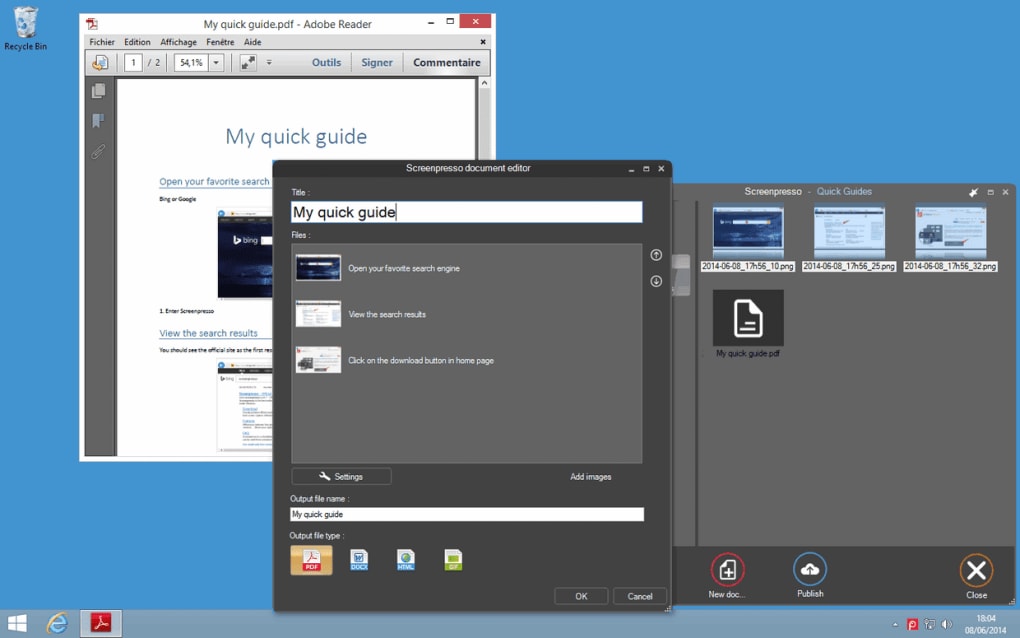
- Support for Multiple Formats: Save images in PNG, JPG, BMP, and PDF—ensuring compatibility across platforms.
To get the most out of Screenpresso, start by selecting your preferred capture mode. For long web pages, use the scrolling capture feature—just click and let it do the work. After capturing, double-click the thumbnail in the history window to open the editor.
Use the annotation tools to add context, blur confidential data, or emphasize important elements. Once satisfied, export the image or share it directly. The entire workflow is intuitive and efficient, making it ideal for both beginners and power users.
Compatibility, Installation & System Requirements
Screenpresso is designed for broad compatibility across modern operating systems. It runs smoothly on Windows 7 and later (including Windows 10 and 11), macOS 10.14 and above, and Android devices (via the mobile app). This cross-platform support makes it a versatile choice for users who work across multiple devices.
Installation is straightforward. Download the installer from the official website, run the file, and follow the on-screen prompts. The setup process is quick and doesn’t require advanced technical knowledge. Alternatively, you can opt for the portable version—simply extract the ZIP file and run the executable. No admin rights needed, which is perfect for office or school environments with restricted access.
System requirements are minimal: a modern CPU, at least 2 GB of RAM, and 100 MB of free disk space. This ensures Screenpresso runs efficiently even on older machines. The app uses minimal system resources, so you won’t notice performance drops during screen recording or editing.
Regular updates are released to fix bugs, improve stability, and introduce new features. The software is distributed through secure channels, ensuring your download is free from malware or unwanted software. Whether you’re using a desktop, laptop, or tablet, Screenpresso adapts seamlessly to your workflow.
Pros and Cons: Is Screenpresso Worth It?
Like any tool, Screenpresso has its strengths and limitations. Here’s a balanced look at what makes it shine—and where it could improve.
Pros
- Free to download and use with no hidden costs
- Lightweight and fast, even on older systems
- Scrolling capture feature for long web pages
- Powerful built-in image editor with annotation tools
- Portable version available for USB or temporary use
- Supports multiple file formats and direct sharing
- Regular updates and secure distribution
Cons
- Keyboard shortcuts cannot be customized
- Advanced features locked behind the Pro version
- Limited support for video recording (no audio capture)
- History window lacks advanced filtering options
- Mobile app has fewer features than desktop version
Despite these minor drawbacks, the pros far outweigh the cons, especially for users who need a reliable, free screen capture tool. The Pro version offers additional benefits like video recording with audio, advanced editing, and cloud integration—but the free version remains highly capable for most users.
Frequently Asked Questions (FAQ)
- Is Screenpresso completely free to use?
-
Yes, Screenpresso offers a fully functional free version that includes all core screen capture and editing features. You can capture screenshots, edit them, save in multiple formats, and share directly—all at no cost.
- Can I use Screenpresso on Mac and Android devices?
-
Yes, Screenpresso supports Windows, macOS, and Android. The desktop versions are feature-rich, while the Android app provides basic capture functionality.
- Does Screenpresso support scrolling captures?
-
Absolutely. One of Screenpresso’s most praised features is its ability to capture entire web pages or long documents by automatically scrolling and stitching the image together.
- Can I customize keyboard shortcuts in Screenpresso?
-
Currently, keyboard shortcuts are fixed and cannot be customized. However, they are intuitive and easy to remember.
- What file formats does Screenpresso support?
-
Screenpresso supports PNG, JPG, BMP, and PDF formats, ensuring compatibility with most software and platforms.
Final Verdict: Download Screenpresso Today
If you're looking for a secure, fast, and feature-rich screen capture tool, Screenpresso is an excellent choice. Its combination of ease of use, powerful editing tools, and cross-platform support makes it a standout in the crowded world of screenshot software. Whether you're a student, teacher, developer, or content creator, this tool will streamline your workflow and boost productivity.
With a free version that does so much, and a Pro upgrade for advanced users, Screenpresso delivers exceptional value. The regular updates ensure long-term reliability, and the clean, minimalist design keeps your focus on what matters—your content.
Don’t miss out on this powerful, free tool. Download Screenpresso now and experience seamless screen capturing on Windows, Mac, or Android—no strings attached.







